

Every book I read on Kindle leaves behind a shorter second edition: the sentences I stopped to highlight. Put together, they make the most honest record I have of what I pay attention to.
However, I almost never open them once I finish reading the book.
For years those highlights sat in the Kindle app: hundreds of passages I once thought worth keeping and could no longer find, search or connect to anything else I was thinking about. They had retired.
Orphaned Highlights
Kindle does let you export your highlights. Tap Export Notebook, and you get an HTML file. The data is yours. The file is raw markup: no usable chapter structure, colours buried in class names, your own notes detached from the passages they respond to.
So most people do one of two things. They reformat it by hand, one highlight at a time, or they leave it as-is. I did both, in that order.
In database terms, an orphaned record is one that nothing points to any more. My highlights had become orphaned highlights: present, but disconnected from everything else I think about. I couldn’t search them, link them, or find them again when I needed them.
I keep my notes in Obsidian, where a note earns its keep by linking to other notes. My highlights sat outside all of that.
Margin to Mind
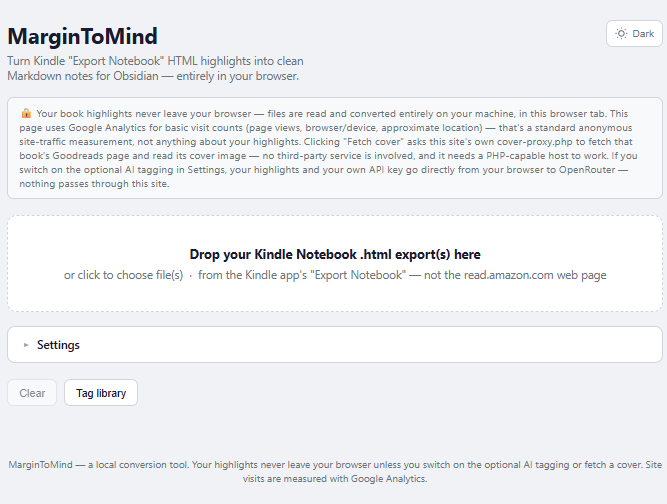
MarginToMind is my fix. It is one self-contained webpage: no framework, no build step, no install. You drop in the file Kindle exports and get back a clean Markdown note for the book, formatted for Obsidian.
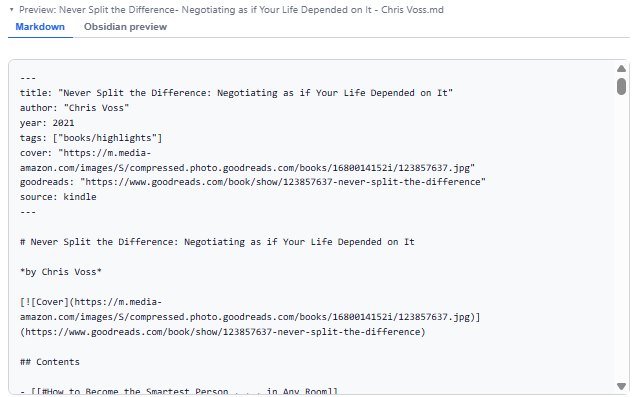
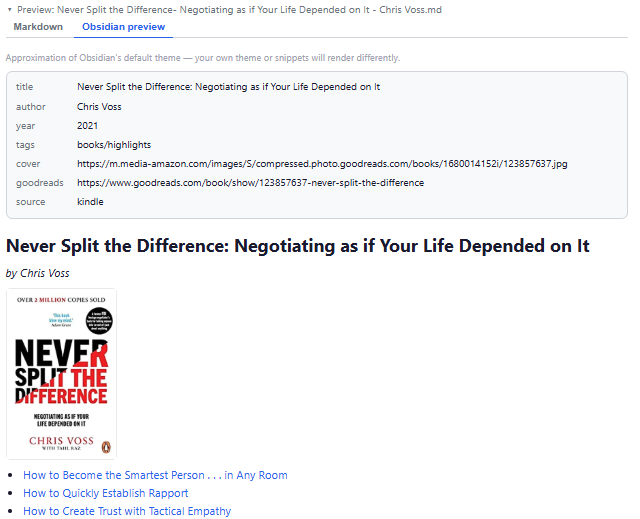
- You can preview the raw Markdown, or a rendered view of how the note will look in Obsidian, before downloading.
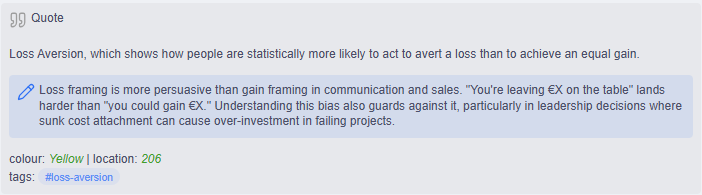
- Each highlight becomes its own callout, with its colour and location, and your own notes sit nested beneath the passage they belong to, ready for more writing
- A clickable table of contents jumps to each chapter.
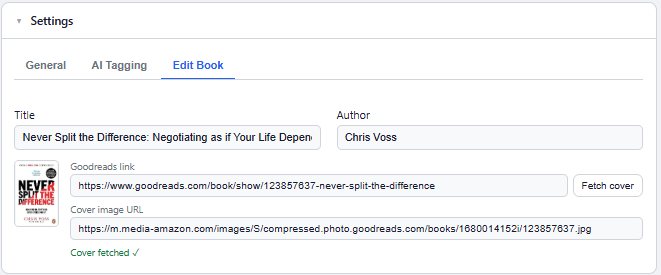
- You can correct the title and author when Kindle’s metadata is wrong, and add a Goodreads link to pull the book’s cover.
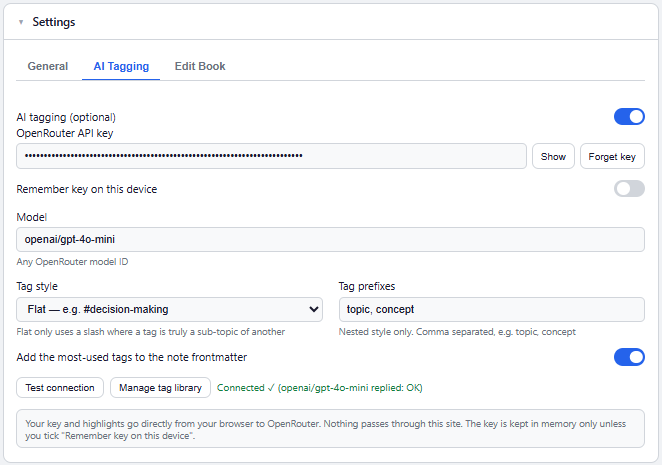
- AI tagging. Optional and off by default. Using your own OpenRouter key, it suggests tags from a personal library that grows across every book. Your highlights go straight from your browser to OpenRouter, never through my site, and nothing is saved until you approve it.
A Tag Library That Grows
The AI feature took the most thought. Ask a model to tag a book and you get a fresh set of one-off tags that never line up with the last book’s. That creates more orphans.
So MarginToMind builds a personal, reusable tag library. It reads your highlights, proposes tags from the vocabulary you already have, and adds new ones where it needs to. You review and approve each tag before anything is saved. Over time you get one consistent taxonomy across everything you read, and your vault gets more useful as it grows.
How It Was Built
I built MarginToMind over a weekend with Claude Code. The AI made the typing fast. Deciding what the tool should be stayed with me: which parts of the Kindle export mattered, what a good book note looks like in my vault, and when a feature was one too many.
Free and Why
It costs nothing, needs no account and has no subscription. If you want AI tagging, you bring your own key and pay your provider for what you use.
If you highlight on Kindle and keep notes in Obsidian, or any Markdown-based tool, it is yours: robertcamilleri.com/tools/margin-to-mind.



Leave a Reply